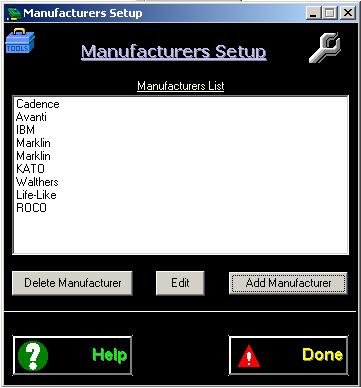
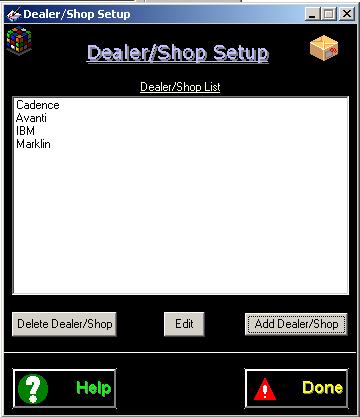
Adding Dealer/Shop : Click on the 'Add Dealer/Shop'
button to Add
Dealer/Shop.
Deleting
Dealer/Shop: Select a
Dealer/Shop and click on the: 'Delete
Dealer/Shop' button.
Editing
Dealer/Shop: Select
a
Dealer/Shop
and click on the: 'Edit' button.
General
Setup
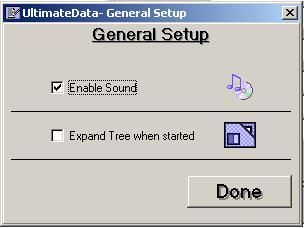
'General Setup' provides with basic features on-off (Sound
and Tree Expansion)
Enable/Disable for sound
Enable/Disable for database tree Expand/Collapse.
Note: It is recommended
to leave this feature UN-CHECKED. This will fasten database load when
program starts.
General
Setup
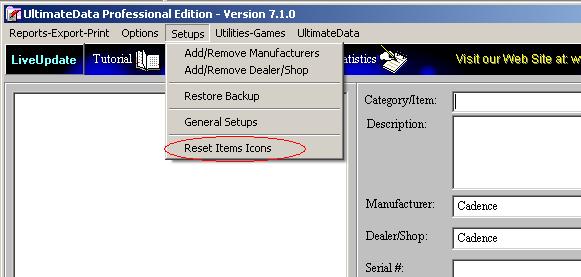
With
UltimateData™ user has the flexibility of creating categories,
sub-categories and items to be recorded according to desire. Each
Category, Sub Category and Items are assigned an ICON. While performing a
'Record Search' the found Category, Sub Category or Item will change their
ICON to a 'Bulls eye' ICON. In order to change back to the original ICONS,
click on the pull-down menu: Reset Items Icons'. This operation will
'RESET' all ICONS to their original assignment.
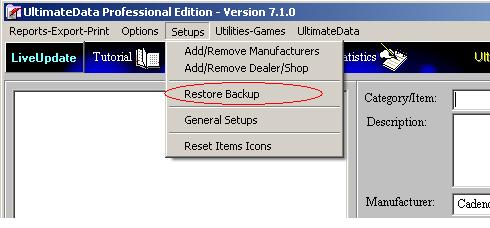
Restore Backup
Click on this pull-down menu to open the 'Restore Backup'
window. Please refer to backup section for further instruction.
For
any questions please email us at: info@tayden.com