QuickData Express™ provides you with an easy setups options.
User may customize Manufacturers List and the Scale
List. You may Add/Remove manufacturers and Add/Remove Scale for future use.
Manufacturers Setup
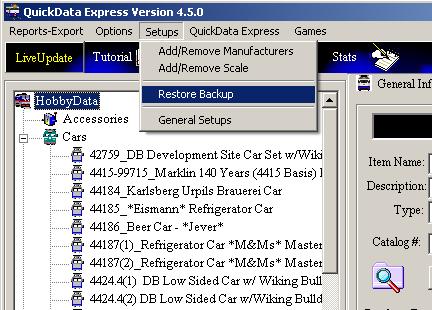
Click on the 'Add/Remove Manufacturer' or 'Add/Remove
Scale' option from
the 'Setups' pull-down menu.
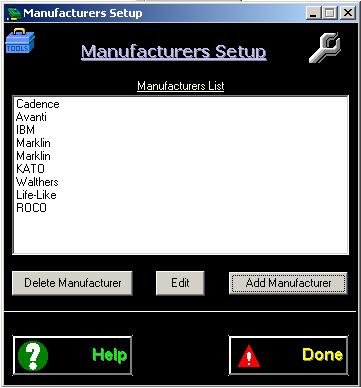
Adding Manufacturers : Click on the 'Add Manufacturers' button to
Add Manufacturers.
Deleting Manufacturers: Select a manufacturer and click on
the: 'Delete Manufacturer' button.
Editing Manufacturer: Select
a manufacturer and click on the: 'Edit' button.
Scale
Setup
Scale setup is done in a similar way to the Manufacturers
setup.
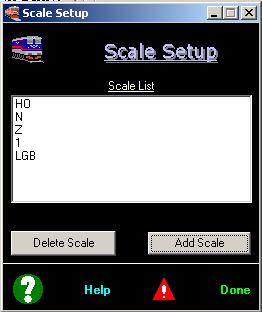
Adding Scale : Click on the 'Add Scale'
button to Add Scale.
Deleting
Scale: Select a
Scale and click on the: 'Delete
Scale' button.
Editing
Scale: Select
a
Scale
and click on the: 'Edit' button.
General
Setup
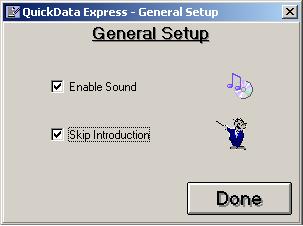
'General Setup' provides with basic features on-off (Sound
and Skip Introduction)
Enable/Disable for sound
Skip Introduction when started.
Note: It is recommended
to leave this feature UN-CHECKED. This will fasten database load when
program starts.
Restore Backup
Click on 'Setups' and choose pull-down menu to open the 'Restore Backup'
window. Please refer to backup section for further instruction.
For
any questions please email us at: info@tayden.com



